How to Find Minecraft World Seeds: A Step-by-Step Guide
Finding the perfect Minecraft world seed can feel overwhelming, especially with so many options out there. You’re not alone—many players struggle to locate those unique seeds that make their worlds stand out.
To find Minecraft world seeds, start by checking the seed code in the game’s menu or use the `/seed` command for your current world. In Java Edition, access it via pause menu or cheats, while Bedrock shows it in world settings.
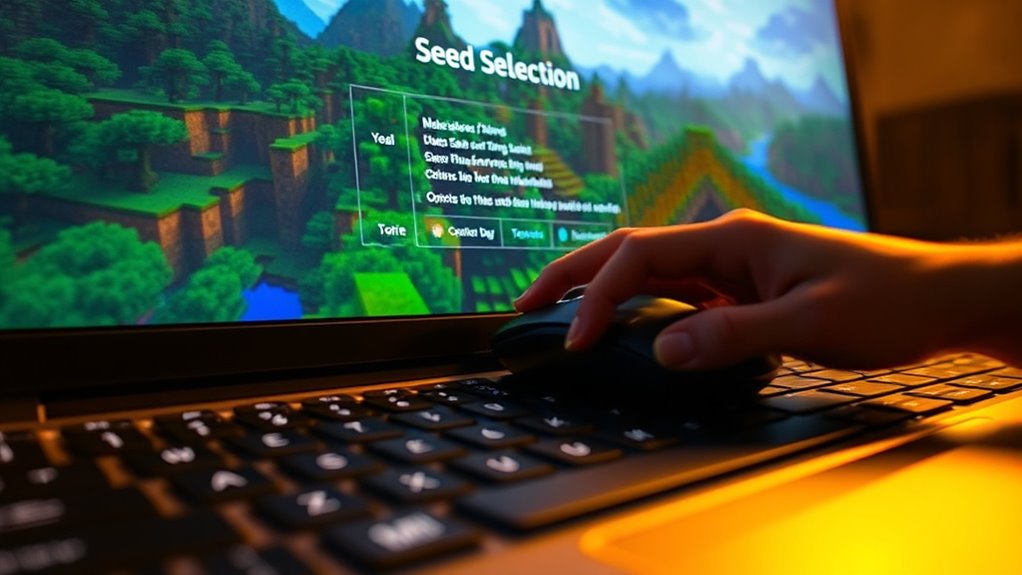
For new worlds, simply select the seed during creation. You can also explore online sites and forums for popular or unique seeds.
Keep searching to uncover even more tips on mastering seed hunts!
Key Takeaways
- Use the `/seed` command in Creative mode or with cheats enabled to see the current world’s seed.
- In Java Edition, you can find seed details via the pause menu or by using third-party tools. In Bedrock, check it in the world creation settings.
- You can also explore online sources like Chunkbase or the Minecraft Seeds Reddit for cool seed codes and world ideas.
- When creating a new world, remember to check and copy the seed from the world creation menu so you can share it later.
- Make sure the seed works with your game version to avoid any issues with world generation or recreation.
What Are Minecraft Seeds and Why Do They Matter?
Minecraft seeds are unique strings of characters that generate specific worlds within the game. These seeds determine the layout of terrain, biomes, structures, and resources, making each world different.
Understanding seed investigation techniques helps you find worlds that match your playstyle or desired features. The seed generation mechanics process these strings to create complex, often unpredictable landscapes based on the seed’s code.
When you input a seed, the game uses it as a starting point for world creation, ensuring reproducibility. This means you can share seeds with friends to explore the same world or revisit a favorite seed later.
Knowing what seeds are and how they work gives you more control over your Minecraft experience. Whether you’re looking for a seed with specific features or just want to experiment, understanding seed mechanics is key for effective seed investigation.
How to Find Minecraft Seeds in Java Edition : Step-by-Step Guide
Want to find your Minecraft seed in Java Edition? It’s pretty straightforward! You can either grab the seed code directly from the game or use in-game commands. Knowing how to do this makes sharing your worlds or revisiting them later super easy. Let’s go through the simple steps for both methods.
First up, let’s talk about how to get the seed code directly from your world. When you’re in your world, just open the pause menu and click on “More World Options.” There, you’ll see the seed displayed — just click on it to copy it to your clipboard. Easy as that! Now you can share it with friends or save it for later.
If you prefer using commands, you can do that too. Just open the chat window (press ‘T’), and type `/seed`. Hit enter, and the game will display the seed code right there. It’s a quick way to find the seed if you’re already in the game and need it fast.
Accessing Seed Code
Accessing the seed code in Java Edition is pretty simple once you know where to look. To find your seed, try these methods:
- Launch your world and pause the game.
- Open the pause menu and select “Open to LAN.”
- Enable cheats and click “Start LAN World.”
- Type `/seed` in the chat window.
This command instantly shows you your world’s seed. If you prefer exploring outside the game, you can also find seed codes using third-party tools or by checking your world files.
These methods make it quick and easy to locate seed codes, especially when exploring new worlds or sharing seeds with friends. Mastering them will make your Minecraft adventures more predictable and fun.
Using In-Game Commands
If you want a quick way to find your world’s seed without leaving the game, using in-game commands is one of the easiest methods. During your exploration, you can open the chat window and type “/seed” or “/world seed” in Java Edition.
Press enter, and the seed code will show up right on your screen, so you can see it immediately. This is especially useful if you’re already exploring or building and don’t want to exit the game.
It lets you access your seed instantly, without needing to use external tools or files. Using in-game commands is a simple and efficient way to find out your seed details directly within Minecraft.
How to Find Seeds in Bedrock Edition : Easy Methods
Finding seeds in Bedrock Edition is simple thanks to built-in tools and easy methods. To quickly find out your world’s seed, just follow these simple steps:
- Create a new world and start playing. The seed is generated automatically and can be seen in the world creation menu.
- Pause the game and go to “Game Settings.” Scroll down to find the “Seed” displayed at the bottom, showing how bedrock influences terrain.
- Use the “Copy Seed” button to save it to your clipboard. This way, you can reference or share it later.
- Explore seed tips by trying different world settings. Some seeds generate cool features like villages or special biomes, giving you insights into bedrock’s terrain generation.
These methods make it easy to find and use seeds, making your Minecraft experience even better.
How to Reveal Your Current World Seed With In-Game Commands
To reveal your current world seed, you can use in-game commands that quickly show it without needing to create a new world or use external tools. Commands like /seed work across many versions of Minecraft, making it easy to find out your seed.
Just open the chat window, type /seed, and press Enter. The game will instantly display your world’s seed number, which you can note down for future reference or seed exploration.
Open chat, type /seed, press Enter — your world’s seed appears instantly for easy reference.
If you’re in Creative mode or have cheats enabled, this is the fastest way to uncover your seed. Keep in mind, in some versions or game modes, the seed might not show unless cheats are turned on.
Using in-game commands is a reliable and quick method for players to access their seed directly within the game, saving time and effort compared to using external tools or manual investigation.
Top Websites and Forums for Finding Unique Minecraft Seeds
Numerous websites and forums serve as gold mines for players seeking unique Minecraft seeds. These platforms thrive on seed sharing and community contributions, making it easy to find exciting worlds.
Here are four top sites to check out:
- Minecraft Seeds Reddit – A lively community where users share and discuss seed codes, showing off the coolest worlds they’ve discovered.
- Minecraft Seeds Forum – Dedicated forums with sections for seed sharing, where players post detailed descriptions and coordinates.
- Chunkbase – An interactive site that offers seed maps, seed searches, and collections of community-generated seeds.
- Minecraft-Seed-Share – A user-driven database focused on sharing seeds, with filters for biomes, structures, and features.
How to Use Seed Codes to Generate Specific Worlds in Minecraft
If you want to create a specific world in Minecraft, the first thing you’ll need is a seed code. Just type it in accurately when you’re setting up your new world. It’s pretty straightforward, and that seed code will tell the game what kind of world to generate.
You can also check out online seed databases if you’re looking for something particular. They’re full of seed codes that match different terrains, structures, or biomes. So, whether you want a world with a massive mountain range or a village right at spawn, there’s usually a seed for it.
And don’t forget, you can customize your world settings too. Tweaking things like world type or enabling cheats can make your experience even more tailored to what you want. All of these options together give you lots of ways to generate the perfect Minecraft world!
Entering Seed Codes Correctly
Entering seed codes correctly is really important if you want to generate the world you’re aiming for in Minecraft. To make sure everything works smoothly, pay attention to the seed code formats and avoid common input mistakes.
Here are some key tips:
- Check seed code length – most are between 1 and 20 characters long.
- Use the correct characters – only letters, numbers, and specific symbols are allowed.
- Avoid extra spaces – make sure there are no leading or trailing spaces when you input the seed.
- Double-check case sensitivity – some seed codes are case-sensitive, so match uppercase and lowercase letters exactly.
Mistakes like misplacing characters or adding spaces can prevent the world from generating as expected. Carefully input your seed code, respecting the correct format, to avoid errors and get the world you want.
Using Online Seed Databases
Using online seed databases makes finding the perfect world in Minecraft faster and easier. These resources are great for exploring seed identification methods and tapping into online communities.
You can browse collections of seed codes tailored to specific features like villages or rare biomes. Many websites let you input seed codes directly to generate worlds instantly, saving you time.
This way, you avoid trial-and-error and quickly find worlds that match your preferences.
| Seed Type | Description |
|---|---|
| Biome-specific seeds | Worlds tailored for specific biomes |
| Rare feature seeds | Seeds with unique structures |
| Custom seed collections | Curated lists from players |
Using these databases streamlines your search, saves time, and expands your options.
Customizing World Settings
Release the potential of seed codes by customizing your world settings to generate exactly the Minecraft environment you want. By tweaking options, you control the world generation and terrain features.
Here are four ways to customize your experience:
- Choose specific biome types to create forests, deserts, or snowy landscapes.
- Adjust world height and depth for unique terrain features like deep caves or towering mountains.
- Enable or disable structures such as villages, temples, or mineshafts.
- Set seed-specific parameters to generate worlds with particular resources or rare features.
These options let you craft a tailored Minecraft world, ensuring your terrain features match your gameplay style and preferences.
Tips for Choosing the Best Seeds Based on Your Playstyle and Goals
Are you wondering how to pick a seed that matches your Minecraft goals and playstyle? Start by thinking about what you enjoy most—survival, exploration, or building.
If survival is your main goal, look for seeds with plenty of resources and diverse biomes to help you thrive. For exploration, pick seeds with interesting terrain features, different biomes, and adventure spots to keep things exciting.
Choose seeds with abundant resources and varied biomes to enhance your survival experience.
When it comes to building and creativity, choose seeds with inspiring landscapes like plains, mountains, or unique formations. Think about your favorite biomes and how tough you want the environment to be.
Some seeds offer peaceful settings, perfect for relaxed building, while others bring tougher survival challenges. Matching the seed to your goals makes your gameplay more fun and satisfying, whether you’re crafting, exploring, or surviving.
Common Mistakes to Avoid When Selecting and Using Minecraft Seeds
When you’re choosing and using Minecraft seeds, it’s easy to overlook some important compatibility issues that might cause your world not to load properly. Sometimes, just grabbing seeds from online lists might seem like a quick fix, but if you don’t pay attention to your game version, things can go wrong. It’s a good idea to double-check whether the seed works with your specific version of Minecraft before diving in.
Always keep in mind that seeds aren’t one-size-fits-all. What works perfectly in one version might not in another, so testing your seeds in your game setup is a smart move. That way, you can avoid any unexpected surprises and make sure your world loads up smoothly and as intended.
Ignoring Seed Compatibility Issues
One common mistake players make is ignoring seed compatibility with their game version. Using a seed designed for a different version can cause unexpected world features or prevent the world from loading altogether.
To avoid this, check your game version before entering a seed. Use seed generation tools made for your specific version to ensure compatibility.
Be cautious when copying seeds from online sources—some are only compatible with certain updates. It’s a good idea to test seeds in a new world to see if they generate the features you want.
Ignoring these issues can lead to frustration and wasted time. Making sure the seed matches your version helps you explore the world as intended, making your seed selection more effective and enjoyable.
Relying Solely on Online Seeds
While online seed databases make it easy to find interesting worlds, relying only on them can limit your gaming experience. Many players stick to popular seed lists or online generators, missing out on the excitement of discovering new worlds on their own.
To improve your seed hunting skills, try combining community seed sharing with your own search methods. Use seed rating systems to assess potential worlds, but also explore unique biomes or specific themes yourself.
Avoid the mistake of only sticking to well-known seeds, as this can make gameplay feel repetitive. Instead, balance online searches with personal exploration to find hidden gems and make your Minecraft adventures more dynamic.
Overlooking Version Differences
Many players focus on finding the perfect seed without realizing that different Minecraft versions can really change how worlds generate. Overlooking these version differences can lead to mismatched expectations or seeds that don’t work with your game.
To avoid this, keep a few things in mind. First, check your game version before searching for seeds because world features change across updates. Second, use seed lists tailored to your version to ensure compatibility.
Be aware of biome changes introduced in different updates, as they can affect what your seed produces. Finally, test seeds in your current version to make sure they generate the features you want.
Ignoring version compatibility can lead to frustration and wasted time. Always match your seed to your Minecraft version for accurate results and smooth seed generation.
Troubleshooting Seed Issues and How to Reset or Find New Seeds
If your current Minecraft seed isn’t generating the world you expected or wanted, troubleshooting can help figure out what’s wrong. Start with seed exploration tips like verifying the seed code and making sure it matches your game version.
Troubleshooting can also mean re-rolling seeds by entering new seed values or using methods like randomization or specific input. It’s important to check if your game version supports the seed and that no mods or updates are messing with world generation.
If issues still pop up, consider resetting the seed by creating a new world with a different seed value. You can also tweak world settings like terrain or biome generation to see if that helps fix any problems.
These steps will help you find a seed that creates the world you want or point you toward new seed options for a better gameplay experience.
Combining Seed Knowledge With Custom World Settings for Better Gameplay
Combining seed knowledge with custom world settings lets you customize your Minecraft experience to what you enjoy most. This way, you can create worlds that are more engaging and fit your style better.
You can tweak settings to improve gameplay, like designing landscapes that match your vision, whether that’s towering mountains or wide-open plains. Mixing biomes can lead to rare environments, making exploration and resource gathering more exciting.
Adjusting difficulty levels and spawn points can make survival more challenging or easier, depending on what you prefer. Using different seeds with these settings helps you experience a variety of worlds, so your gameplay stays fresh and interesting.
Adjust difficulty and spawn points with different seeds for a fresh, engaging Minecraft adventure every time.
These techniques help you craft worlds that really match your playstyle. Playing around with custom settings and seed knowledge opens up endless possibilities, making each game session unique and fun.
Frequently Asked Questions
Can I Find Seeds From Old or Deleted Minecraft Worlds?
You can’t directly retrieve seeds from old or deleted Minecraft worlds unless you have a seed backup. If you’ve saved backups using seed backup methods, you can restore the seed from those files.
For worlds you haven’t backed up, recovery is impossible because the seed isn’t stored once the world is deleted. To avoid losing future seeds, always use seed backup methods to save your world data regularly.
Are There Seeds That Guarantee Specific Biome Types or Structures?
Imagine entering a seed where towering mountains frame lush forests or a world where sprawling deserts hide ancient temples. Some seeds do favor specific biome variations and structure generation, but they don’t guarantee exact terrain types.
During seed exploration, you might find worlds rich with desired biomes or unique structures, yet randomness still plays a role. Keep experimenting with different seeds to uncover the perfect landscape for your adventures.
How Do I Convert Seed Numbers Between Java and Bedrock Editions?
To convert seed numbers between Java and Bedrock editions, you need to understand how their seed formats differ. Java uses a 64-bit integer, but Bedrock often interprets seed inputs through a different hash or format.
You can use online seed converters or tools made specifically for edition differences. These tools help you accurately translate seed numbers so you spawn in the same world no matter which edition you’re playing.
Do Seed Codes Change After Updates or Patches?
Think of seed codes as a map’s legend—sometimes they change after updates or patches. Usually, seed generation stays consistent, but big patches can shake things up and change the world.
In Bedrock and Java editions, seed codes might not always give you the same world after an update, especially if the game’s internal algorithms are tweaked. Keep your seed handy, but be ready for surprises after major patches.
Can I Modify a Seed to Spawn Specific Items or Features?
You can’t directly modify a seed to spawn specific items or features. However, you can use seed manipulation techniques by analyzing the features you want in a world.
Look for existing seeds that have those features. Pick one that closely matches your goals and then explore the world to see if it fits your needs.
This way, you can tailor your gameplay experience without actually changing the seed itself.
Conclusion
Now that you know how to find and select the perfect seed, you’re ready to explore endless unique worlds. Did you know that over 60% of players prefer custom seeds for tailored experiences? Understanding seed mechanics lets you craft your ideal Minecraft adventure.
Keep experimenting and avoid common pitfalls to uncover new landscapes. With the right seed, your gameplay becomes more exciting and personalized. So, go ahead and start your next epic journey today using the best Minecraft world seeds!