Check Your Minecraft Seed: Step-by-Step Guide
Many Minecraft players find it tricky to locate and understand their game seed, which can be frustrating when trying to recreate or explore worlds. You’re not alone—this is a common challenge among both new and seasoned players.
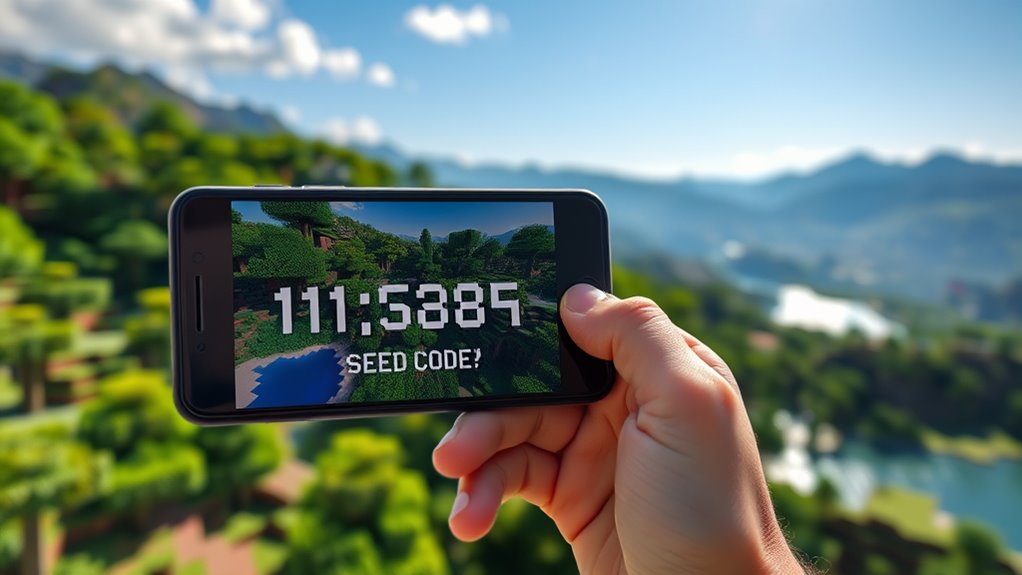
To check your Minecraft seed, first open your world and pause the game. In Java Edition, go to the menu and type “/seed” in chat. In Bedrock, access the world settings or type “/seed” directly.
If you’re using an existing world, you can view the seed in the world options.
Understanding what the seed numbers mean and how to share them can improve your gameplay. Keep exploring to uncover more tips and tricks.
Key Takeaways
- Access the seed in Java Edition through the pause menu or by typing “/seed” in chat.
- In Bedrock Edition, find the seed in world settings or use the “/seed” command.
- For worlds you already have, open the world settings or click “Edit” to see the seed code.
- Use external tools or seed maps for more detailed analysis and to locate structures.
- Share the seed code with friends via chat or messaging so they can recreate the world.
How to Find Your Minecraft Seed in Different Versions
Are you wondering how to locate your Minecraft seed across different game versions? Finding seeds varies depending on the version you’re playing.
In Java Edition, you can view your seed by opening the game menu and selecting “Copy Seed” or by using commands like “/seed.” In Bedrock Edition, you might need to go into world settings or use third-party tools for seed sharing.
Seed generation differs across updates, so understanding seed compatibility is key for seed investigation and analysis. Knowing your seed’s importance helps you recreate or tweak worlds more easily.
It’s smart to develop seed strategies, especially if you want to explore specific biomes or structures. Sharing seeds with friends or online communities can give you new ideas and help with seed analysis.
Familiarity with seed sharing methods and compatibility makes the process smoother and more rewarding, enhancing your future gameplay experience.
How to View Your Seed in Minecraft Java Edition
Finding your seed in Minecraft Java Edition is simple and quick through the game’s menu or commands. To do this, press “Esc” to open the pause menu, then click on “Open to LAN.” Enable cheats and click “Start LAN World.”
Once you’re in the game, type “/seed” in the chat box and press Enter. Your seed will appear on the screen, making it easy to explore and plan your next creative strategies.
If you’re in a creative mode world, you can also access the seed through the world options before creating a new world. This quick method helps you find your seed without restarting or loading new worlds.
Knowing how to view your seed helps you analyze your world, share unique seeds with friends, or revisit your favorite terrain features.
How to Find Your Seed in Minecraft Bedrock Edition
Want to find your seed in Minecraft Bedrock Edition? It’s pretty straightforward. Just head over to your world settings—usually by pausing the game and selecting the “Edit” option on your world. From there, you can see the seed info right at the top, so it’s super easy to check out.
If you prefer a quicker way or want to do it without going into settings, you can use in-game commands. Just open the chat window and type `/seed`. Hit enter, and boom—you’ll see your world’s seed pop up instantly. It’s a handy trick that saves you some time and effort.
Access World Settings
Open your Minecraft Bedrock Edition world and pause the game to access the settings menu. Once there, navigate to the “World Settings” section.
Here, you’ll find the seed information under “Seed” or “World Seed.” While you can’t see your seed directly in all versions, some options let you view or copy it.
Exploring seed customization options allows you to modify certain world features. Keep in mind that changing the seed impacts the overall world generation, which is called seed impact analysis.
This helps you understand how different seeds influence terrain, structures, and resources. Accessing these settings gives you a clearer view of your seed’s role in shaping your world, helping you plan better for your Minecraft adventures.
View Seed Information
Ever wonder how to quickly find your seed in Minecraft Bedrock Edition? The easiest way is to go into your world settings, where you can see your seed information.
When you open your world, just pause and head to the settings menu. You’ll find the seed listed under the world options.
Knowing your seed is pretty important for understanding your world’s layout and features. It helps you recreate or share your world accurately.
Keep in mind, in Bedrock Edition, the seed isn’t always visible during gameplay, so checking the world settings is your best bet.
This simple step can save you time and give you a clear idea of what makes your world unique.
Use In-Game Commands
If you want a quick way to find your seed, using in-game commands is really straightforward. In Minecraft Bedrock Edition, you can access the seed info directly through commands.
Just open the chat window, type “/seed” without quotes, and press Enter. The game will instantly show you your world’s seed number, which you can jot down for later.
This works in both single-player and multiplayer modes, so it’s a handy way to get your seed quickly. It’s especially useful if you’re exploring or prefer not to navigate through menus.
Knowing your seed makes it easy to recreate or share your world, so take advantage of this simple yet powerful feature.
How to Access the Seed From an Existing World
If you want to find the seed from a world you’re already playing, just go into your world settings. There, you’ll see a section that shows the seed code. It’s usually pretty easy to spot. Once you see it, just copy that seed and save it somewhere safe—like a note on your computer or in a notepad. That way, you can share it with friends or use it again if you want to create a similar world later on.
Open Your World Settings
Opening your world settings is easy and lets you quickly see your current seed. Knowing your seed is important because it influences how your world generates and what you might encounter.
To do this, pause your game, go to the “Edit” or “Open to LAN” option, then select “Create New World” and choose your existing world. This process reveals the seed used in your Minecraft world, which is useful for identifying and sharing.
- Access your world settings without starting a new game.
- Understand how seed identification helps with exploring your world.
- Recognize seed consequences for recreating or sharing your world.
This quick step helps you uncover the mystery behind your Minecraft world’s unique landscape.
Locate Seed Code Display
Wondering how to find your seed code without starting a new game? You can locate the seed from an existing world using the display options available in the game’s settings. Most versions show the seed in the world options menu, but some may require a command or an external tool.
Here’s a quick guide:
| Display Method | Description |
|---|---|
| In-Game Menu | Accessible via Settings > World Options |
| Command | Use “/seed” in chat console |
| External Tools | Use third-party editors |
| World Files | Check save files for seed data |
| Server Commands | Available on multiplayer servers |
These methods make it easy to find and record your seed code so you can revisit or share your world seed anytime.
Copy and Save Seed
Accessing and saving your seed from an existing Minecraft world is pretty easy once you know where to look. To copy and save your seed, start by opening your world and going to the game menu.
From there, select “Settings” and then “World Options” to find the seed code. You can also use the “Copy Seed” button for quick sharing.
Make sure to save this code somewhere safe so you can share your seed or explore it again later. This way, you can recreate your world or share its unique seed with friends easily.
What Do the Numbers in Your Minecraft Seed Mean?
Have you ever looked at a Minecraft seed number and wondered what it actually means? The seed’s characteristics are at the core of that number, influencing how your world generates.
The significance of the number lies in its ability to produce a specific world setup, affecting terrain, biomes, and structures. When you input a seed, you’re essentially giving the game a blueprint to follow during world generation.
This means the seed impacts gameplay by determining where you spawn, the location of resources, and the landscape you’ll explore. Some seeds create sprawling mountain ranges, while others spawn you near villages or rare biomes.
Understanding what the numbers mean helps you grasp how your world was created and what to expect. While the seed itself is just a number, its influence on world generation is powerful, shaping your entire gameplay experience based on its unique characteristics.
How to Use External Tools to Analyze Your Minecraft Seed
Using external tools to analyze your Minecraft seed can give you deeper insights into your world’s layout and features. Seed analysis tools help you understand how the seed’s randomness and world generation influence your gameplay, making planning easier.
With these tools, you can generate seed maps to visualize your world before exploring it. Biome identification tools show you which biomes are nearby, saving you time searching for specific environments.
Seed sharing platforms let you compare different seeds with others, while seed compatibility checks ensure your seed works well across different Minecraft versions or with mods. Structure locators help you find specific structures in your seed, boosting your exploration efficiency.
How to Find Structures and Biomes Based on Your Seed
If you want to find structures or get a feel for the different biomes around you, using your seed is a great way to start. Luckily, there are some handy external tools out there that can help you out. These tools make it super easy to spot things like villages, temples, or mineshafts, and they also give you a good idea of what kinds of biomes are nearby.
Once you have your seed and these tools, planning your exploration or building projects becomes way simpler. You’ll know where to go to find the cool features you’re after, and you’ll get a better sense of your world’s overall layout. It’s like having a map before you even set out!
Locate Nearby Structures
Ever wonder how to find nearby structures once you’ve generated your world? Knowing structure types and locations can make exploration easier and more rewarding.
Structure generation depends on seed variations, spawn points, and biome relationships, so understanding these helps you plan your approach. To locate structures efficiently, try exploring natural landmarks or listening for sounds.
Structures like villages, temples, or shipwrecks offer benefits such as nearby resources and valuable loot. Developing structure strategies ensures you don’t miss key sites that could be hidden or far from your spawn point.
Keep in mind that different seed variations can drastically change where structures appear. Exploring systematically can help reveal hidden treasures and expand your gameplay options.
Identify Biome Types
Understanding your world’s biome distribution is key to finding structures and resources efficiently. Biome diversity affects what you’ll encounter, from lush forests to arid deserts, each with unique characteristics.
Pay attention to temperature zones, as they influence biome generation and resource availability. During biome exploration, notice how biome change zones mark shifts in terrain and resources, helping you predict nearby structures.
Recognizing these differences improves your survival skills, guiding your decisions for shelter, farming, and gathering resources. Each biome offers specific resources essential for progression, so understanding biome types helps you optimize your gameplay.
Use Seed-Based Tools
Uncovering structures and biomes based on your seed has become much easier with specialized online tools and software. These Minecraft tools let you analyze seeds, helping you predict terrain generation and explore biomes before starting your world.
Using seed-based tools, you can map out structures, optimize seed choices, and customize your world for better resource management. For example, structure mapping shows exactly where villages, temples, or strongholds spawn, saving you time and effort.
These tools also give you insights into terrain features, making your gameplay more strategic. With seed optimization, you can pick seeds that match your goals, whether for adventure or building.
How to Share Your Minecraft Seed With Friends
Sharing your Minecraft seed with friends is simple and makes sure everyone starts their world in the same spot.
To do this effectively, just copy the seed code from your game and send it through chat, email, or a messaging app.
Your friends can then enter that seed in their game to recreate your world exactly.
This makes playing together smooth and ensures everyone has the same experience.
Here’s a quick way to think about seed sharing:
| How You Share | Why It Matters |
|---|---|
| Sending seed code directly | Quick and easy to do |
| Using screenshots or notes | Visual confirmation helps avoid mistakes |
| Explaining seed details verbally | Ensures everyone understands correctly |
Common Issues When Viewing or Using Seeds: And How to Fix Them
Sometimes, when you try to view or use a seed in Minecraft, things don’t work as expected. The world might not generate correctly, or the seed you enter doesn’t match what you see.
These issues often happen because of seed compatibility problems or differences in seed generation across versions. You might also see common error messages during loading, which can make troubleshooting frustrating.
Seed compatibility and version differences can cause loading errors and world generation issues.
To fix these problems, start by making sure you’re using the right version of Minecraft. Seed compatibility issues can cause problems with seed replication.
Double-check the seed you entered—small typos can lead to biome anomalies or mismatched worlds. Accurate entry is key.
If you’re getting seed loading errors, try creating a new world or resetting your game. This can clear up any glitches causing issues.
Fixing these common problems helps you generate consistent worlds and avoids surprises caused by seed discrepancies.
How Your Seed Shapes Your Minecraft World: Tips and Ideas
Your seed acts as the blueprint for your entire Minecraft world, determining the landscape, biomes, structures, and resources you’ll encounter. Seed generation influences biome distribution, shaping whether you start near forests, deserts, or snowy tundras. This impacts terrain features and resource availability.
Knowing where villages are located can improve your world exploration, offering trading opportunities and shelter. Your seed also affects adventure possibilities, from rare structures to unique terrain formations that inspire creative building or survival strategies.
For example, a seed with abundant resources nearby simplifies resource gathering, while one with diverse biomes invites varied gameplay strategies. Understanding how your seed shapes these elements helps you plan survival tips or ambitious building projects.
Whether you prefer exploring, building, or adventuring, recognizing how your seed influences your world helps you tailor your gameplay experience for maximum enjoyment and efficiency.
Frequently Asked Questions
Can I Change My Minecraft Seed After Creating a World?
You can’t directly change your Minecraft seed after creating a world, but there are ways to alter it using commands or third-party tools.
Alternatively, you can recreate your world with a new seed. This lets you explore different terrain, structures, and biomes, giving you fresh gameplay.
Just keep in mind, recreating the world means starting over. But it’s the best way to change your seed and experience something new.
Do Different Game Versions Generate the Same World From the Same Seed?
Different game versions don’t generate the same world from the same seed because of differences in world generation, seed compatibility, and updates to algorithms.
You might find that a seed creates a lush forest in one version but a barren landscape in another. This happens because each version has its own unique world-generation rules.
To keep things consistent, always check if your seed works with your specific game version before starting your adventure.
How Do I Find the Seed of an Existing Multiplayer World?
To find the seed of an existing multiplayer world, you can use seed extraction methods like commands or server files. If you’re an admin or have the right permissions, just run the command “/seed” in chat to see the multiplayer seed info straight away.
Alternatively, you can access server files or logs, which often have the seed data stored. These methods make it quick and easy to find the seed, helping you explore or recreate your world without hassle.
Are There Seeds That Generate Rare or Special Structures?
Imagine you’re a savvy adventurer, and yes, some seeds do generate rare structure locations and unique biome generation. You can find seeds that spawn villages, temples, or even ocean monuments right at the start.
Online seed databases and tools often highlight these special seeds. By entering specific seed numbers, you can recreate worlds with these rare features, making your Minecraft adventure more exciting and filled with surprises.
Can I Use a Seed to Recreate a Specific World Layout?
Yes, you can use a seed to recreate a specific world layout through seed exploration. This lets you generate identical worlds using the same seed value.
By entering the seed during world creation, you control how the world is generated. This ensures the layout, structures, and biomes match exactly what you want.
It’s a great way to share impressive worlds or revisit your favorite landscapes with precision.
Conclusion
Now that you’ve nailed down how to find and share your Minecraft seed, you’re basically a digital archaeologist digging for hidden treasures. These treasures are biomes, structures, and endless adventures waiting to be uncovered.
Go ahead, toss that seed into your world, and watch your cosmic map of chaos and creativity come to life. Who knew that a tiny string of numbers could turn you into the universe’s most strategic builder?
Happy mining!